

New in v3.
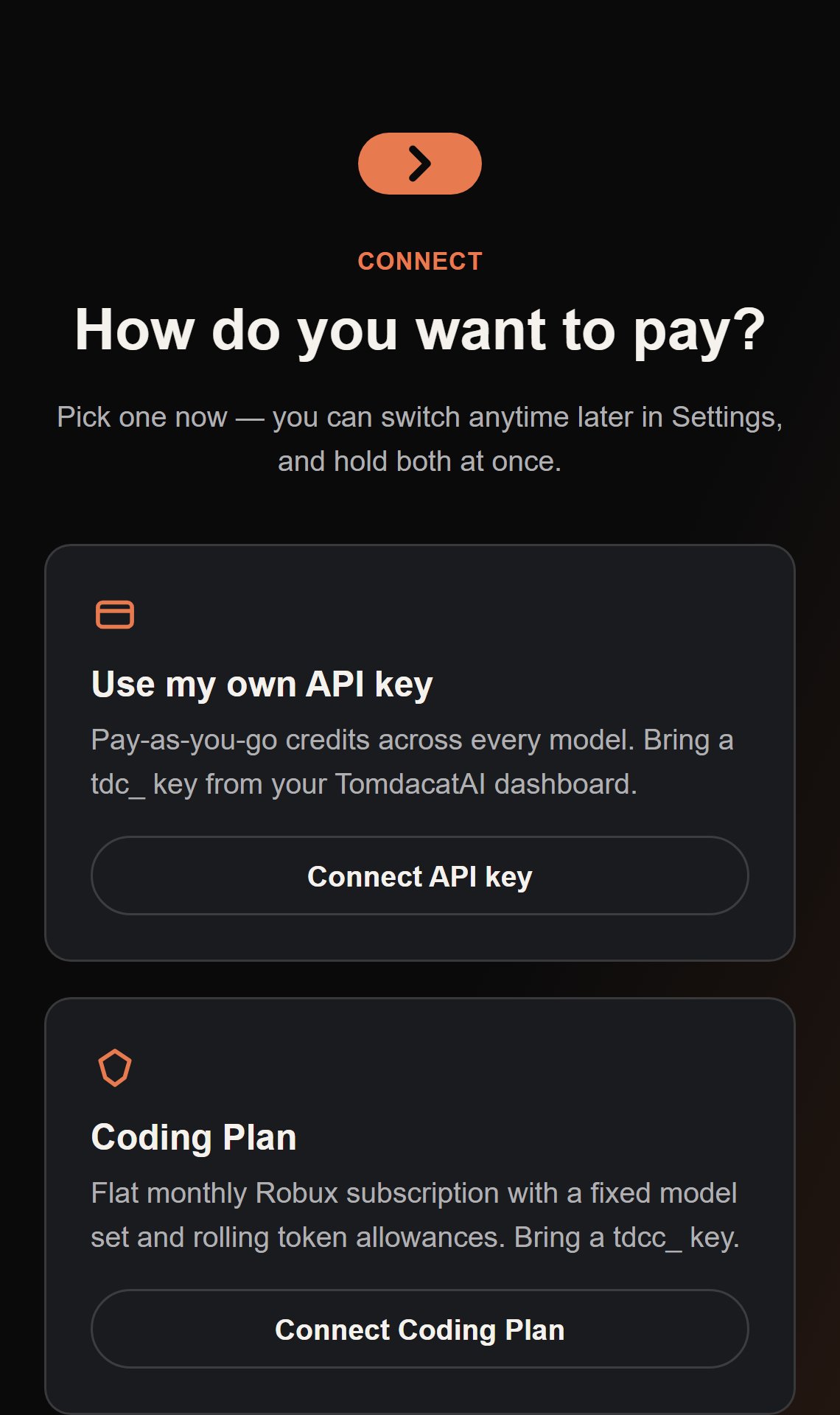
Use my own API key
“Pay-as-you-go credits across every model. Bring a
tdc_ key from your TomdacatAI
dashboard.” — the exact copy on the Auth Choice screen. The original v1 model: create a key
at ai.tomdacat.com, paste it in, and every response is metered
against your credit balance. Button: Connect API key.Coding Plan
“Flat monthly Robux subscription with a fixed model set and rolling token allowances. Bring a
tdcc_ key.” Authenticated against a separate /code/v1/* API — no per-token pricing, just
a subscription tier with usage limits. Button: Connect Coding Plan.How Coding Plan differs from an API key
- Models show a PREMIUM pill, not a price. Since usage isn’t metered per token, the model dropdown marks the strongest models as premium instead of listing a cost per million tokens.
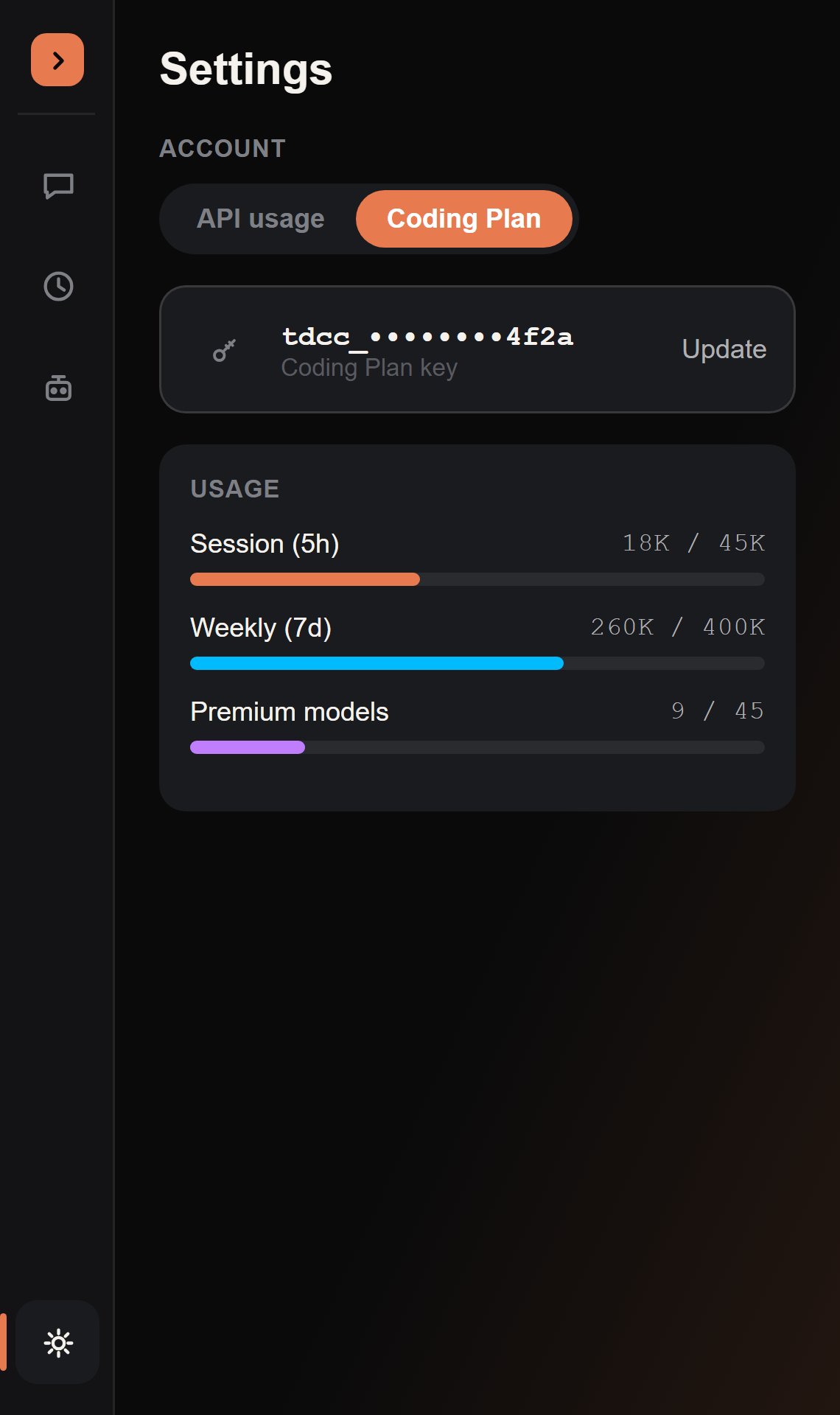
- Usage is three rolling windows, not a credit counter. Settings shows progress bars for your session window, your weekly window, and a separate, smaller premium-model window — since premium models draw down a stricter weekly allowance than the rest of the catalog.
- Budget Mode auto-enables on Lite and Starter tiers. Lower Coding Plan tiers turn on Budget Mode by default to keep the fixed per-turn token cost down; higher tiers and API-key accounts leave it off by default, and everyone can flip it either way in Settings regardless.
- Key verification is one round trip. A Coding Plan key is checked with a single call that returns validity, plan tier, and current usage together, instead of a separate ping-then-fetch.
Switching between them
Both key types can be configured at the same time. The Account section at the top of Settings (there’s no separate Account page — it’s the first thing you see when Settings opens) has a segmented switch between API usage and Coding Plan — selecting a mode you haven’t configured yet routes you to that mode’s setup screen instead of just failing silently. Switching modes takes effect on your very next message; there’s no restart involved.Keeping your key safe
Both key types are credentials, treated identically: stored viaplugin:SetSetting (Studio’s own per-user settings store), never logged, and never sent anywhere except ai.tomdacat.com. See Installation for the first-run setup flow for either option.