

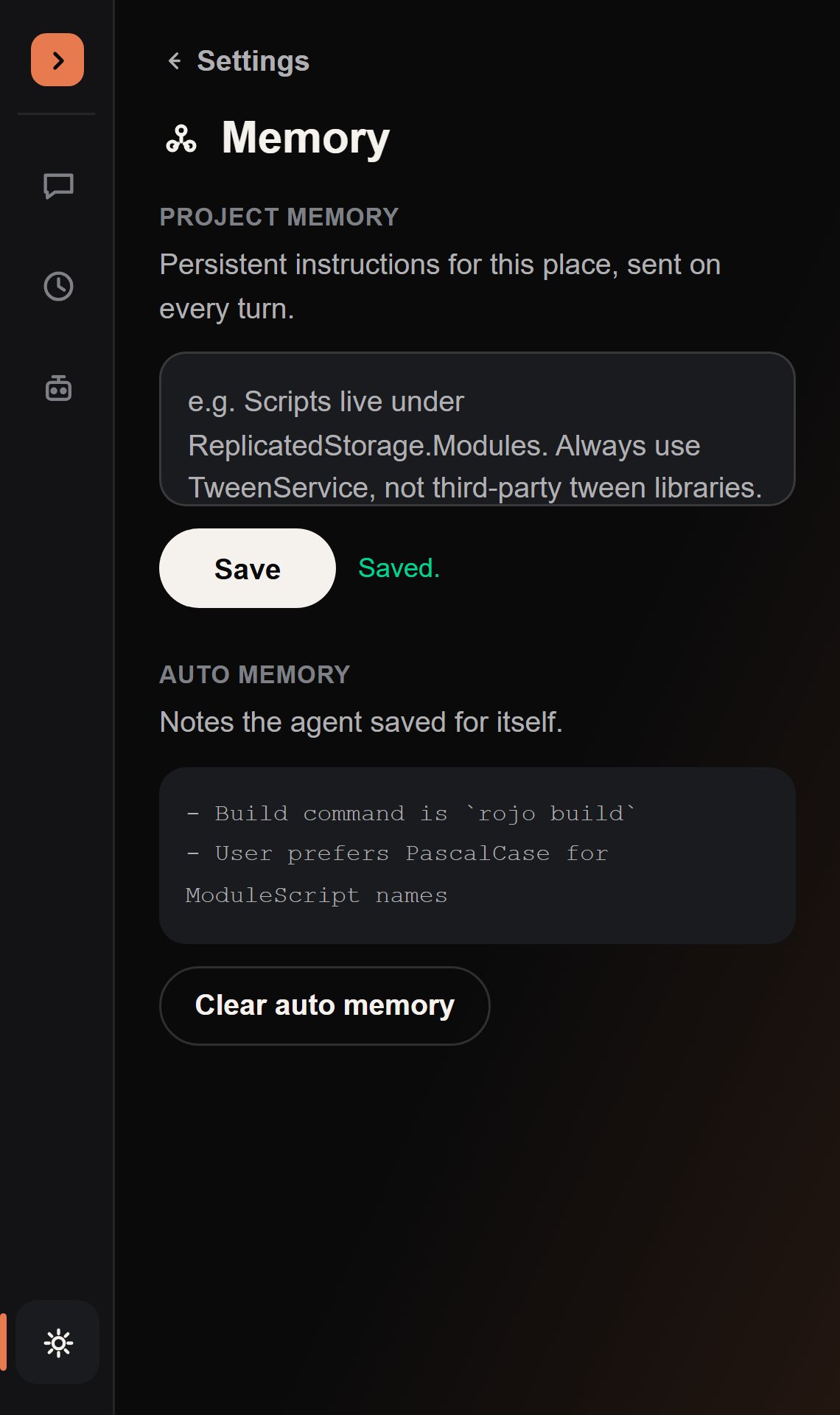
Project Memory
Persistent instructions for this place: coding standards, naming conventions, architecture notes, anything you’d otherwise repeat at the start of every chat. This is Tomdacat Code’s equivalent of aCLAUDE.md — you write it once in Settings → Memory, and it’s sent to the agent on every turn, every session, for as long as you’re working in this place.
The box’s own placeholder text shows the shape it expects:
Auto Memory
Notes the agent writes for itself, via aremember tool it calls on its own initiative — a build quirk it discovered, a correction you gave it, a preference you stated once. You never have to ask it to remember something; it decides what’s worth keeping for next time.
Auto Memory is capped at roughly 25KB. Once full, the oldest notes are trimmed first so the newest learnings always survive.
Clear auto memory needs a second click to actually clear anything — the button relabels to
a confirmation (“Click again to confirm”) first, then to “Cleared” once it runs. The same
double-click pattern guards the Danger Zone’s clear-chat-history button in
Settings.