

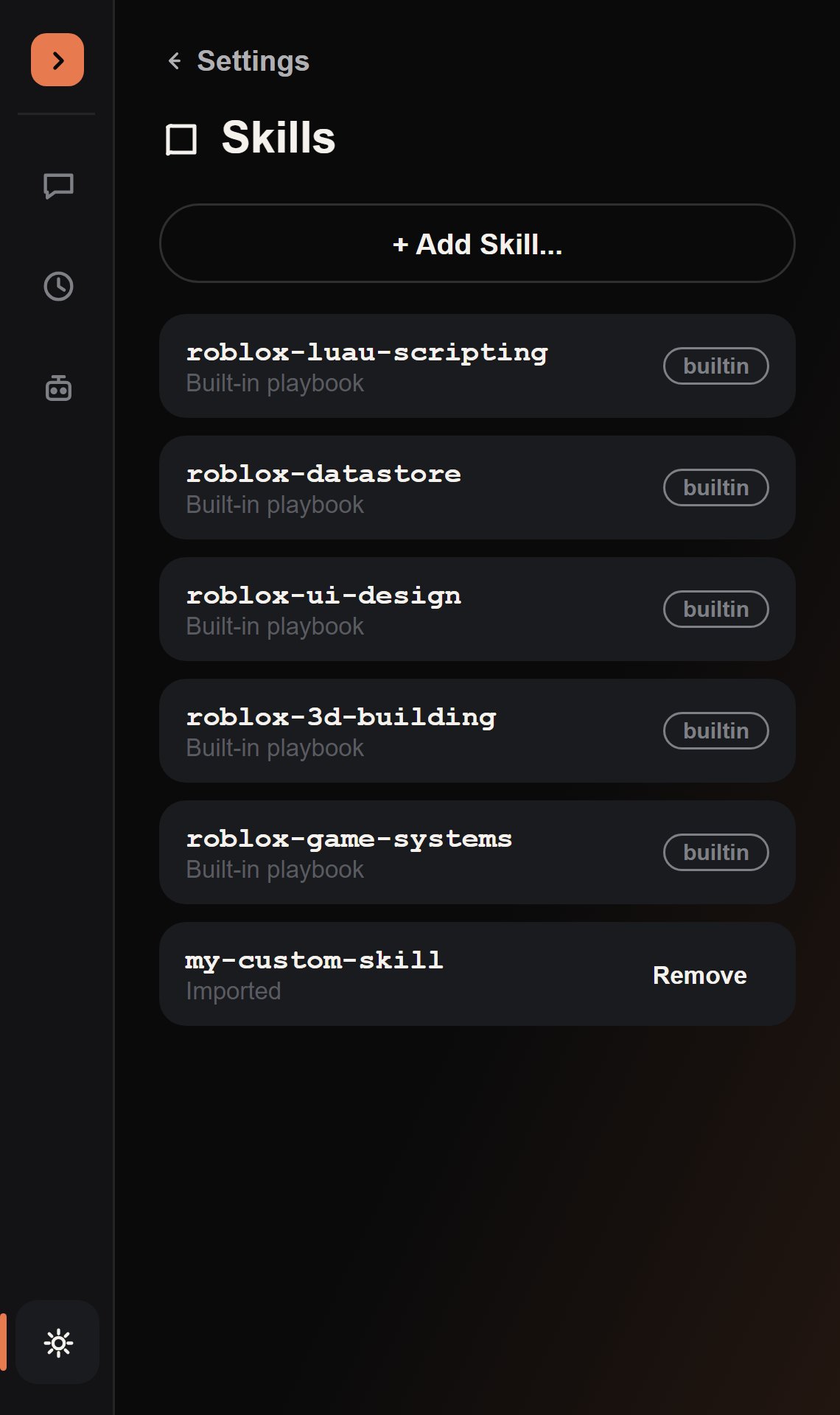
Built in, out of the box
The agent discovers these itself:
list_skills returns every available skill’s name and description, and read_skill pulls in the full content only when one actually matches the task at hand — so the system prompt stays short even though the skill library can grow indefinitely.
v3:
roblox-ui-design and roblox-3d-building were substantially expanded with more patterns and worked examples. Same five skills, more depth in two of them.Bringing a skill into a message
Three ways to reference a skill from the chat:- /skill picker
- @skill: typed by hand
- Let the agent decide
Type
/skill <query> to open a live-filtered picker — this is the actual searchable skill
list. Selecting one inserts a short @skill:name token into your message — readable in the
transcript — while the full guidance is expanded into what’s actually sent to the model. /skill
with no query instead lists every skill (name, source, description) as a plain message.Importing your own
From Settings → Skills, click Add Skill… to open a native file picker (.skill, .txt, or .md). The file’s name, description, and content are parsed and stored via plugin:SetSetting, and it shows up in the list immediately, removable any time with the Remove button next to it.
Built-in skills show a
builtin pill and can’t be removed. Only
custom-imported skills get a Remove button.